What does this order really earn?
Put in the price, how many and every cost, including the ones nobody writes down. See the real profit, the margin and the price you'd need. Free, no sign-up, works on your phone.
- Works on your phone
- Nothing to install
- Free, no sign-up
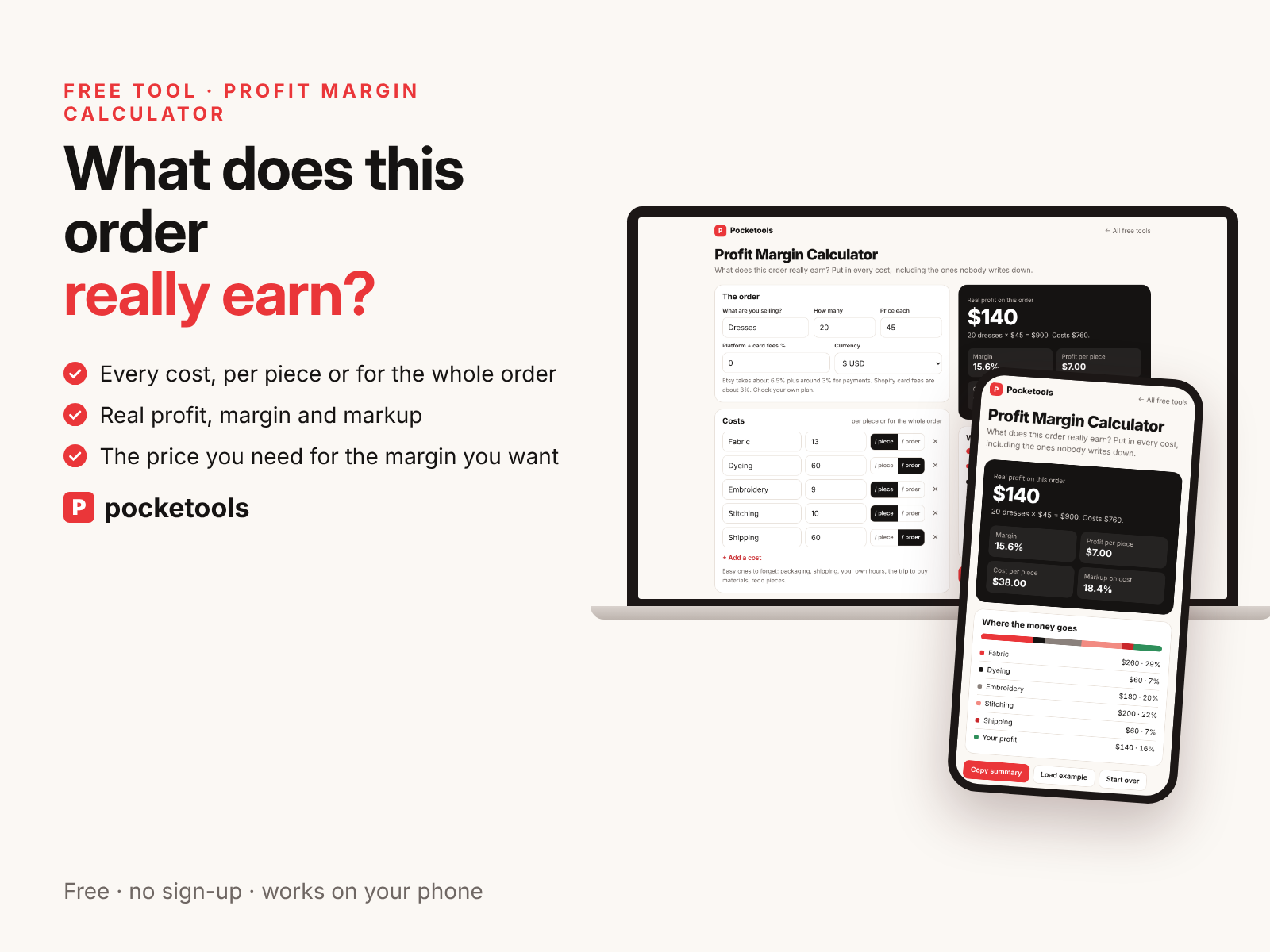
See it in action
A short clip of the real tool.
What's inside
Every part of the tool, with real screenshots.
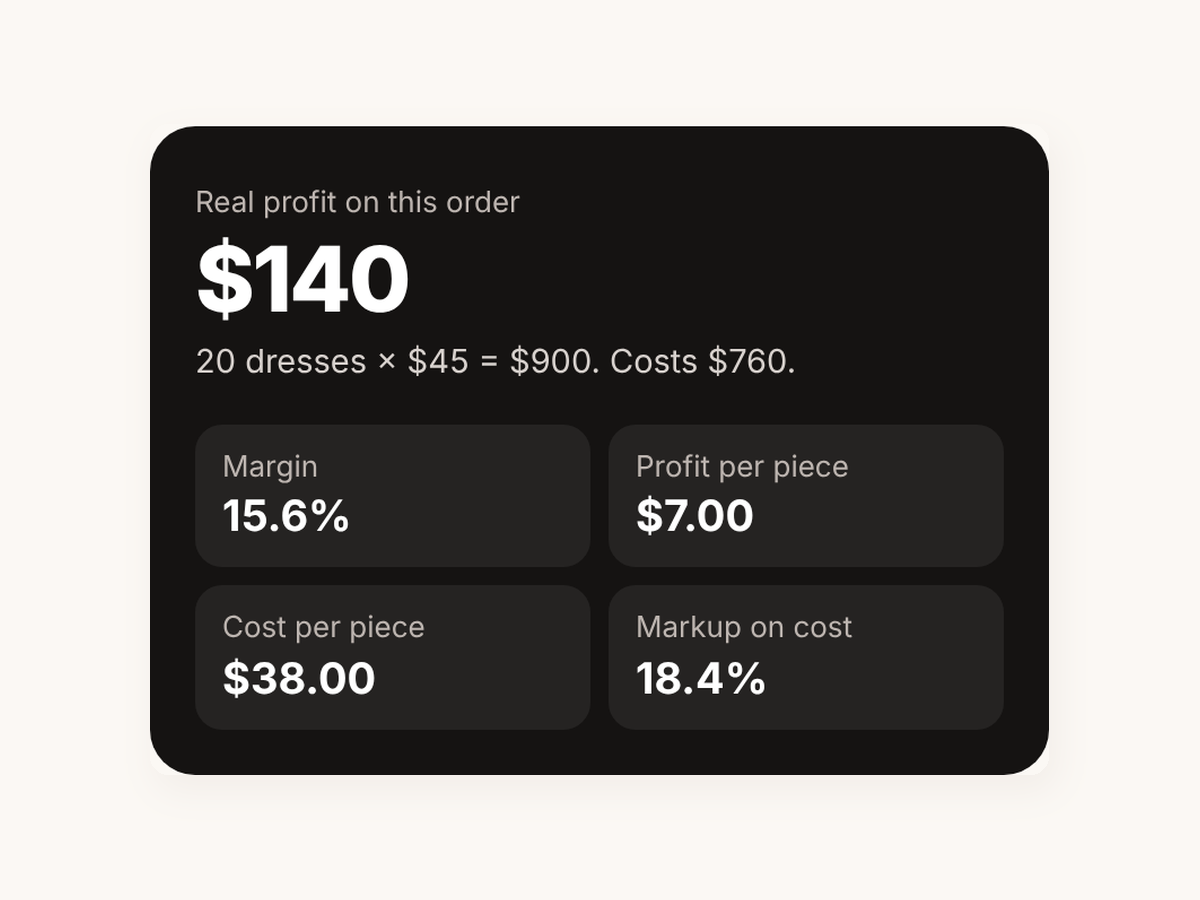
The real profit, up front
The dark card shows the profit on the whole order, with the margin, profit per piece, cost per piece and markup on cost. It updates as you type.
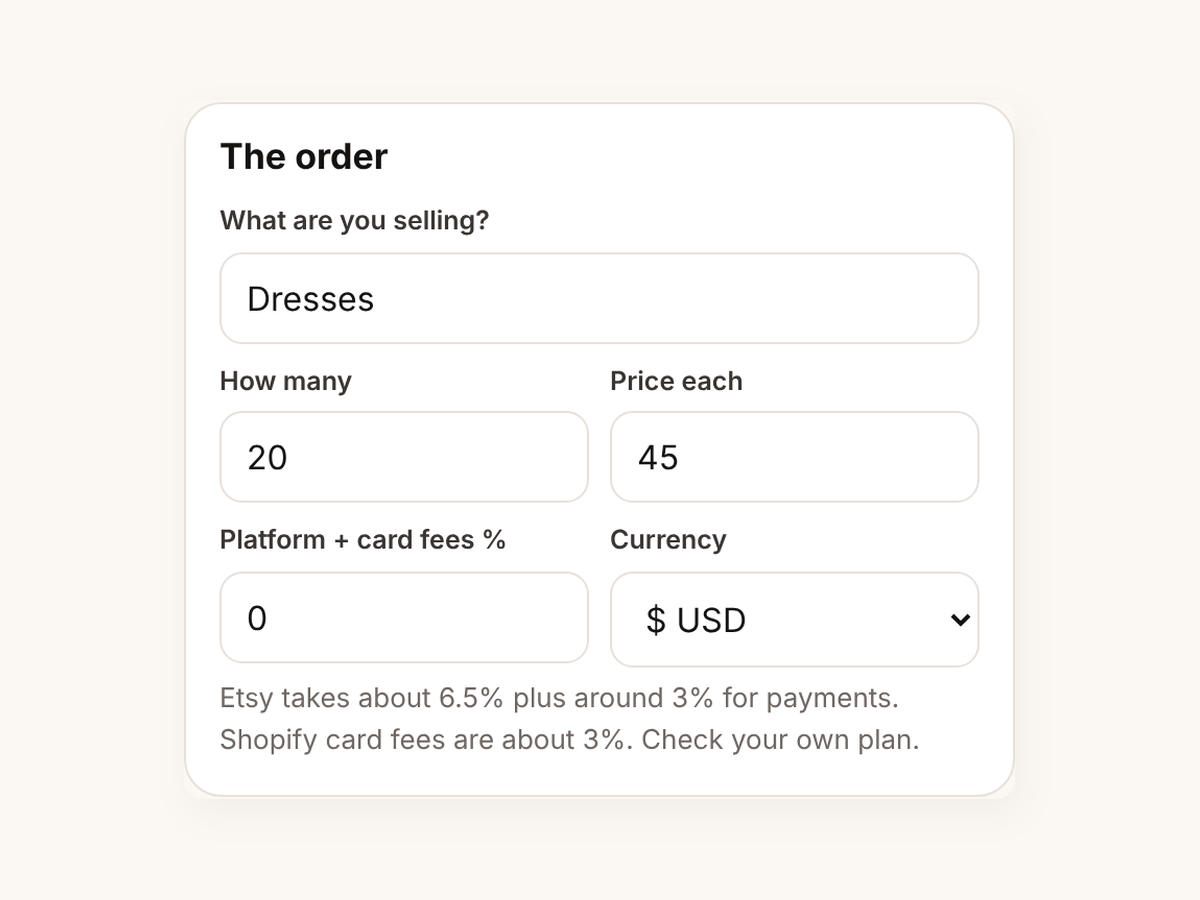
The order in three boxes
Type what you're selling, how many and the price each. Add your platform and card fees as a percentage and pick your currency.
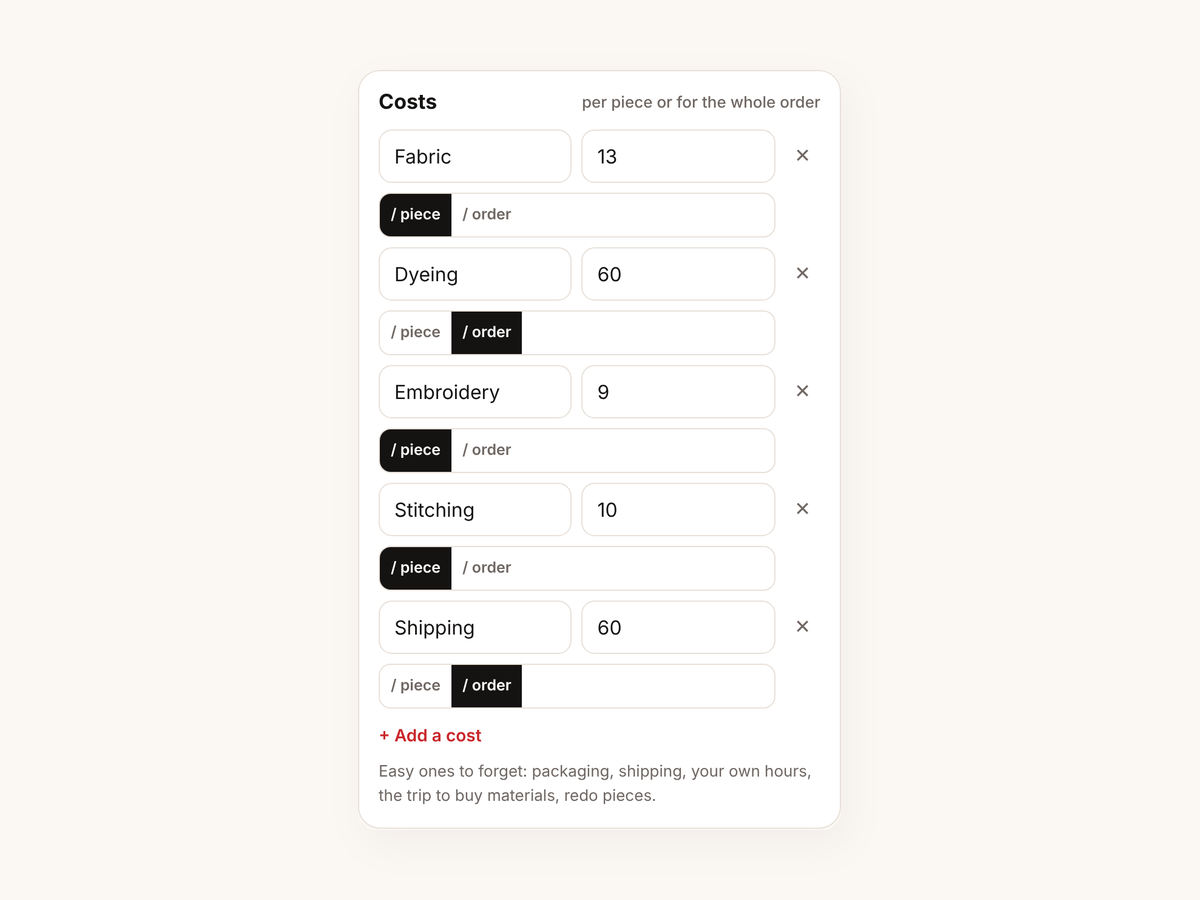
Every cost, per piece or per order
Add as many costs as you like and mark each one per piece or for the whole order. Materials, packaging, shipping, your own hours: the hint lists the ones people forget.
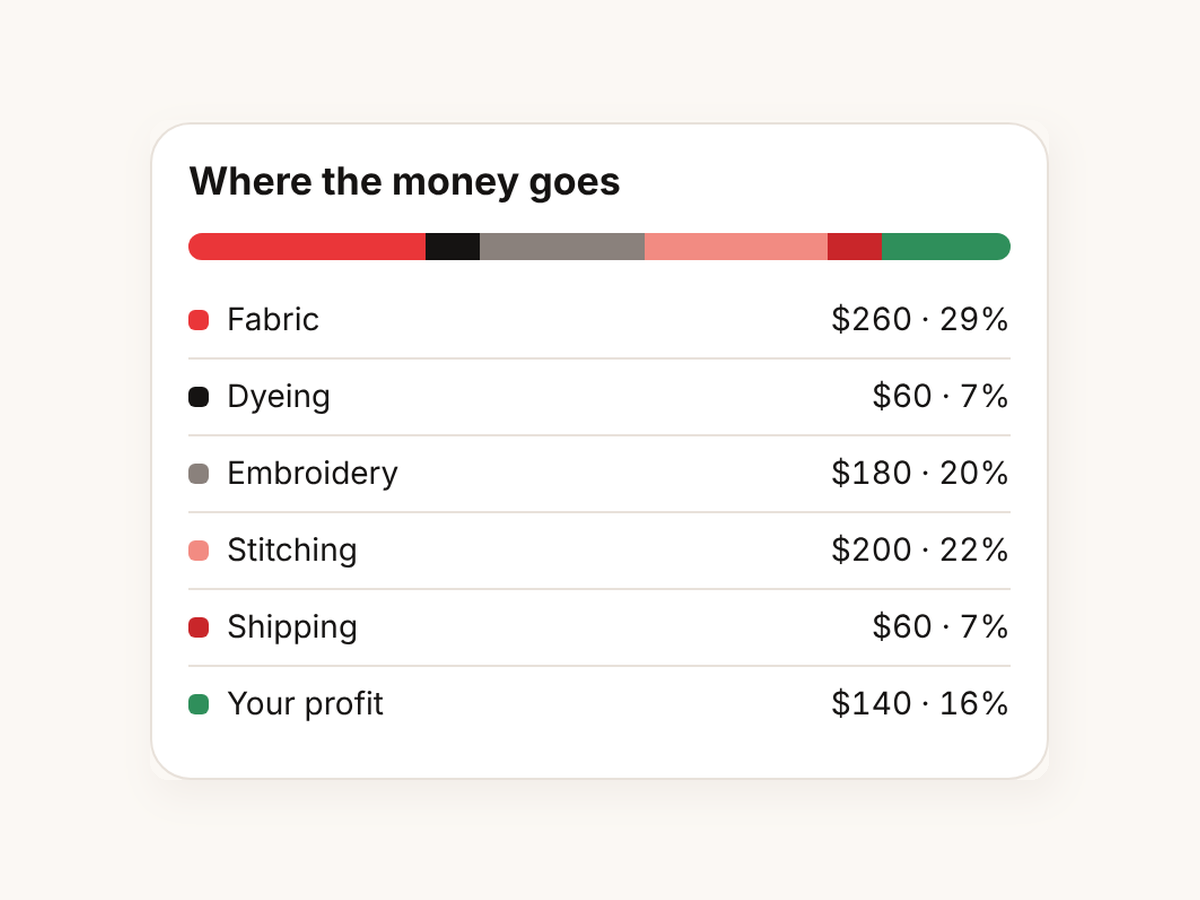
Where the money goes
A coloured bar and a list show each cost and your profit as an amount and a share of the price.
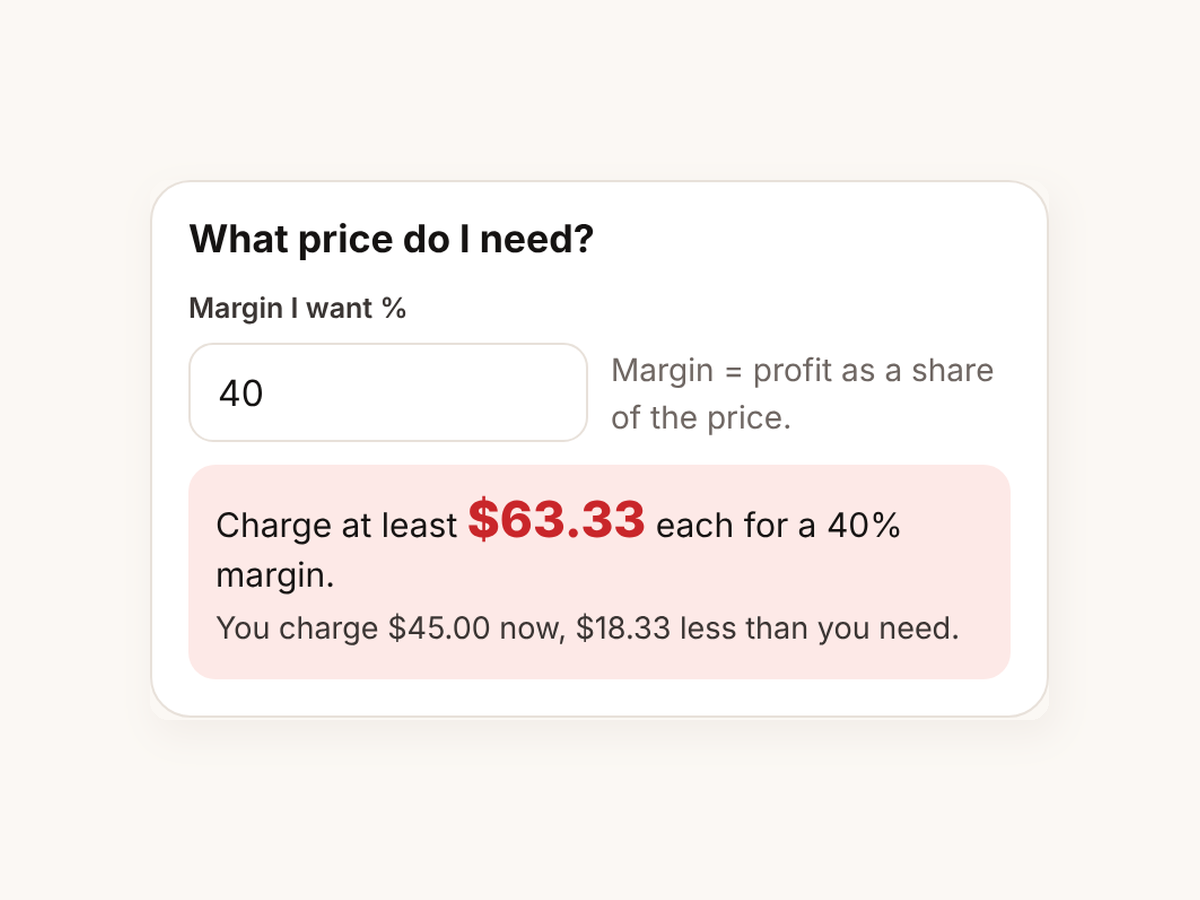
The price you need
Type the margin you want and it tells you the price to charge each, and how far your current price is from it.
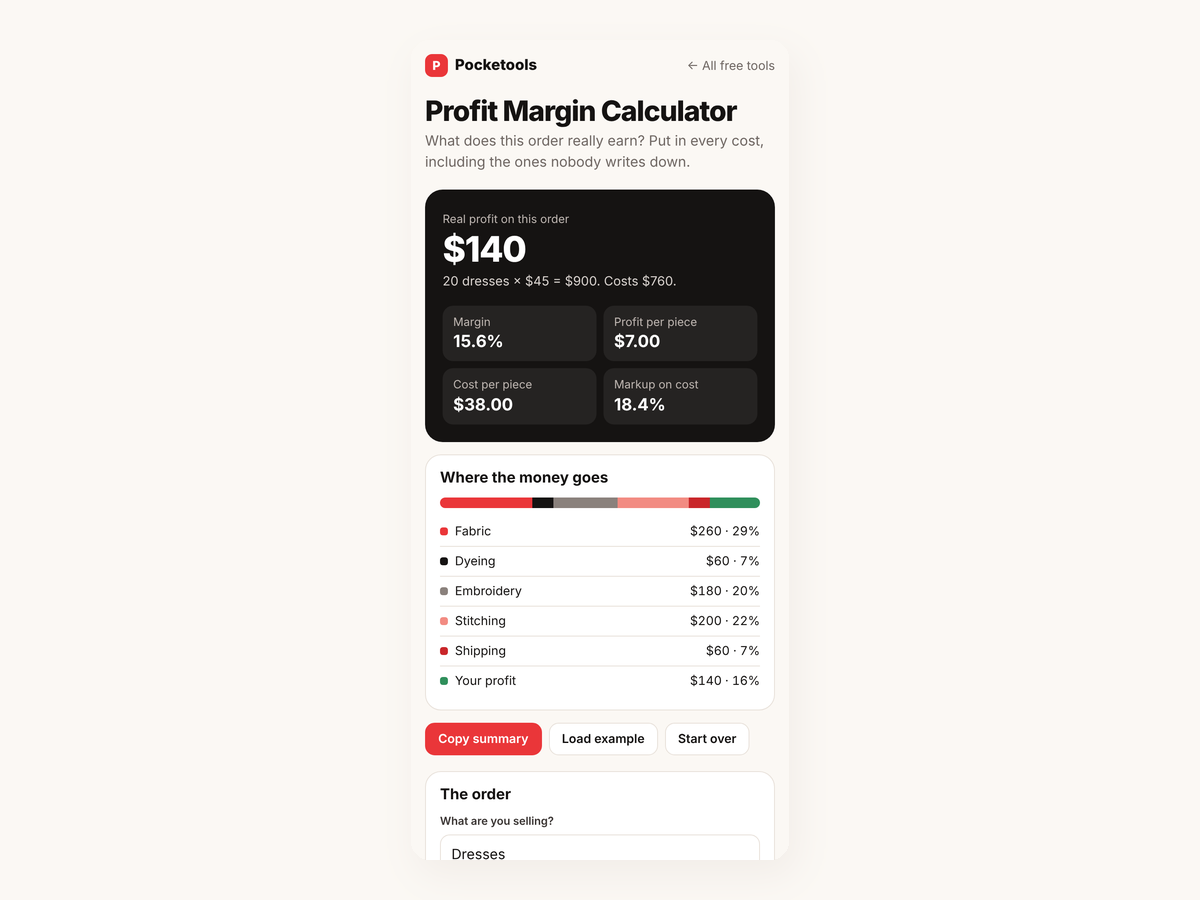
Made for your phone
On a phone the result sits at the top, so you see the profit change as you type. Copy summary puts the whole breakdown on your clipboard to paste anywhere.
Try it free first
Open the free demo with an example family already filled in. Pop in your first name and email and it opens right away.
You're in. The demo is ready for you.
Open the free demoI'll send the odd free tool now and then. Unsubscribe any time.
On iPhone or iPad? Open your private link in Safari and use it right there, no app needed. Your plan saves on that device, so tap Back up now and then to keep a copy.
Questions
Is it really free?
Yes. There's no sign-up, no email needed and nothing to pay.
Does it work on my phone?
Yes. It's built for the phone first and also works in the browser on a tablet or computer.
Is there anything to install?
No. It runs in your browser. No app and no account.
Where is my data saved?
In your browser on that device. Nothing is uploaded. Use Copy summary to keep a copy somewhere else.
Can it include card and platform fees?
Yes. Type the fee as a percentage of the price, for example your card reader's or marketplace's rate, and it's taken off the profit.
Which currencies does it support?
US dollars, pounds, euros, Australian dollars and Canadian dollars.
What's the difference between margin and markup?
Margin is profit as a share of the price. Markup is profit as a share of the cost. The calculator shows both.